
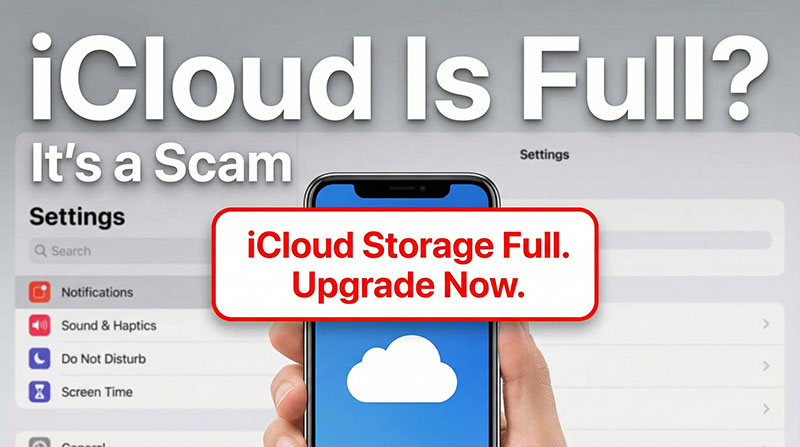
If you’re getting emails that suggest “Your iCloud Storage Is Full,” with an official-looking Apple logo and the familiar branding, you’ll naturally be tempted to open it. But this message is often nothing more than a scam looking for its next customer. Here’s what you need to know about avoiding the “iCloud is full” scam.
Avoiding the iCloud Is Full Scam
The scam begins with an email or text message that appears to be from Apple or iCloud. It claims your storage is about to run out and that you need to get more. But some versions of the scam might say your payment method has failed and you need to update it.
Scam Detectors Most Trusted Websites in Online Security
- Guard.io (100): Protect your digital world on any device – Guardio stops scams and phishing in their tracks.
- Incogni.com (100): Delete your personal data from the internet and protect against scams and identity theft.
- ExpressVPN (100) Stay secure and anonymous online - Best VPN Out There
Usually, the same email will also mention a promotion such as getting 10s of GBs of storage if you sing up today using the handily provided link.
When you click the link, you’re taken to a fake website that looks like the real iCloud login page. If you enter your Apple ID and password, the scammer gets your credentials. With your Apple ID password, they can access your iCloud account, view your photos and personal documentation, change your password to lock you out, reset security questions, access your email, and potentially access linked credit card information.
Other variations of the scam don’t even ask for your password directly. Instead, they prompt you to install software “to upgrade your storage” or “secure your account.” What you’re really installing is malware or spyware that steals your data.
The scam works because it’s succinct, to the point, and urgent. The “get free storage now” deal or “fix your account now” buttons are incredibly tempting, especially if you already had a lot of files in iCloud and were worried about running out of space.
The fraud is also paired with enough legitimate-sounding technobabble to seem credible, such as real iCloud features, storage limits, and upgrade processes. It’s relatively easy to create a website that looks eerily similar to the real thing. When you’re panicking about a good deal, you’re unlikely to notice a tiny difference, like a single letter in the domain name (which may not even be visible on mobile devices).
Red Flags: How to Avoid the “iCloud Is Full” Scam
Knowing what to look for is your best defense. Here are the telltale signs:
The Sender’s Email Address
Legitimate Apple emails always come from addresses ending in “@apple.com” or “@icloud.com.” You can click on the email address (or tap it on your phone) to bring up the name of its creator.
Scammers use addresses like “@icloud-service.com” or “@cloudnotice.com” or other variations designed to look official at a glance. They might also use addresses that are off by just one letter, so ”icloud” becomes “iclould” or “apple” becomes “appel.”
The typos are actually deliberate since they weed out people who are less likely to get caught on the fake website or not follow through.
Lack of Personal Greetings
Real Apple emails will address you by your actual name because Apple already has your account information. By contrast, phishing scams often use generic greetings like “Dear Customer,” “Dear User,” or “Hello Friend” since they’re casting a wide net across thousands of people.
In some cases, the greeting might start with your name, but not put it properly into the context of the message or may use it only once at the start as that’s usually enough for a person to be convinced where the email is coming from.
Urgent Language and Threats
Scammers force you to act now to prevent you from thinking clearly. You might see phrases like “Immediate action required,” “Your account will be suspended,” “We will delete your photos unless you respond today,” or “Fix this before Monday or lose access.” These arbitrary deadlines are designed to make you panic and click without verifying.
Requests to Click Links or Download Files
Any email asking you to click a link is suspicious. Legitimate Apple emails never ask you to click links in the email itself to access sensitive features. Instead, they direct you to log in through your device’s settings or through apple.com.
Furthermore, when you hover over a link in a phishing email, the URL often won’t match the company name it claims to be from. For example, a link might say “Verify Now” but actually point to a random website name filled with letters and numbers.
Requests for Personal Information
Apple will never ask you for your Apple ID password, two-factor authentication codes, credit card numbers, or bank account details in an email. If an email asks for any of this information, it’s a scam.
Inconsistencies With Your Actual Account
You can always log into your account settings or iCloud.com directly (don’t click a link in the email) and verify your actual storage status. If the scam email says your storage is full but your settings show you have plenty of space, it’s definitely a scam.
The email might also suggest you have a certain amount of files in storage, but this is usually a guess and inaccurate if it’s a scam. They’ll put an arbitrarily large number to make you think you’re running out of space.
Verify Another website
Are you just about to make a purchase online? See if the website is legit with our validator:
vldtr®

TOP MUST-WATCH FRAUD PREVENTION VIDEOS
1. Top 5 Amazon Scams in 2024 2. Top 5 PayPal Scams in 2024 3. How to spot a scam Email in 2024
When my sweet old grandmother got caught up in an Amazon gift card scam, I decided then and there that I needed to do whatever I could to inform as many people as possible about the grifters of the world. That’s what I do here – writing about modern scams so you don’t get caught out.