

Data theft is a primary way cybercriminals gain access to people’s accounts and money and commit identity fraud. Screen overlay scams are a relatively sophisticated way they achieve this by mimicking apps and services you trust.
Read on to discover what screen overlay scams are and how to avoid them.
Scam Detectors Most Trusted Websites in Online Security
- Guard.io (100): Protect your digital world on any device – Guardio stops scams and phishing in their tracks.
- Incogni.com (100): Delete your personal data from the internet and protect against scams and identity theft.
- ExpressVPN (100) Stay secure and anonymous online - Best VPN Out There
How Screen Overlay Scams Work
When you open your banking app on your phone, or head to a financial website on your computer, you might see a login screen. You enter your username and password, and gain access to your account. Simple.
However, malicious actors may have intercepted that digital journey, replacing the login screen with one of their own that looks exactly the same. You enter your details, but it’s the criminals who get them and now have access to your account.
This scam is usually perpetrated via malware, which the person may have downloaded thinking it was a genuine app. The app may ask for certain permissions, and when those are granted, it gains wider access to the device to install more malware and access more accounts.
Don’t Devices Have Built-In Security to Prevent Overlay Scams?
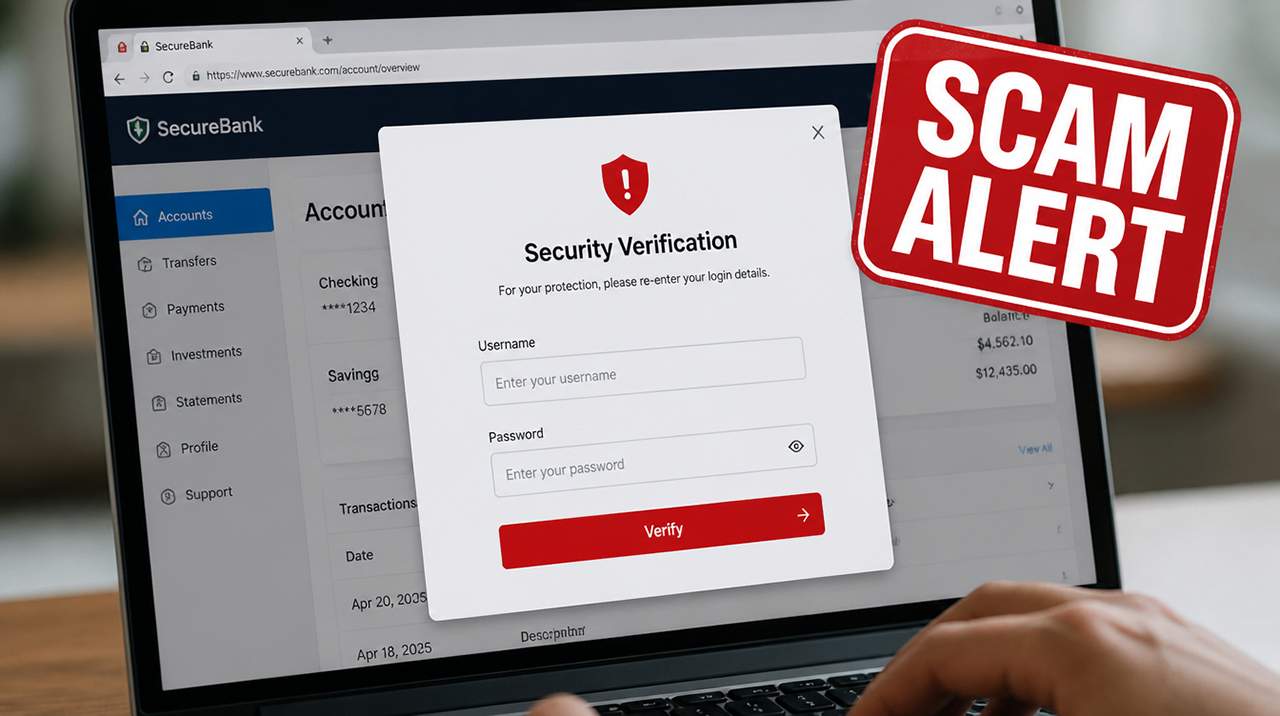
While some of the latest security updates include features designed to block or mitigate certain overlay attacks, they don’t prevent every instance. For example, Android includes protections against applications drawing overlays over other apps, while individual apps can also opt out of having overlays drawn over them. Some of these protections depend on the app or developer implementing them, and they don't eliminate every possible overlay or phishing attack.
Also, there’s no guarantee that these security features are tamper-resistant. Persistent bad actors will already be trying to find ways to bypass security systems like this.
Protect Yourself From Screen Overlay Scams
The best defense is prevention:
- Keep your software up to date on all your devices.
- Install additional security software where you can, particularly on Windows computers and other non-mobile devices.
- Always use official apps that you search for and download yourself from a store, not ones that are recommended on random websites or by social media users.
- If you’re unsure, contact the app owner (e.g., your bank, utility provider, etc.) through an independently verified channel and discuss the issue with them.
- Don’t click suspicious links contained in unexpected emails or messages.
- If an unfamiliar app suddenly appears on your phone or computer, uninstall it if you don't recognize or trust it.
- Don’t accept unnecessary permission requests. If an app requests access to your photo gallery or contacts when this would not be required, for example, get rid of it.
If anything seems “off” about the screen where you enter your details, or you’re suddenly asked to re-enter your details, use another device to access the data you need. Consider resetting the device that has potential malware on it, which will delete data and apps. Back up any files or photos you need before doing this.
You can also protect yourself by signing up for Scam Detector’s Scam Alerts. Get to know the latest device scams and how you can avoid them, with regular updates straight into your inbox.
Verify Another website
Are you just about to make a purchase online? See if the website is legit with our validator:
vldtr®

TOP MUST-WATCH FRAUD PREVENTION VIDEOS
1. Top 5 Amazon Scams in 2024 2. Top 5 PayPal Scams in 2024 3. How to spot a scam Email in 2024
When my sweet old grandmother got caught up in an Amazon gift card scam, I decided then and there that I needed to do whatever I could to inform as many people as possible about the grifters of the world. That’s what I do here – writing about modern scams so you don’t get caught out.